
AUTO TRACK ACTIVITY

REVIEW THE DETAILS OF YOUR DAY

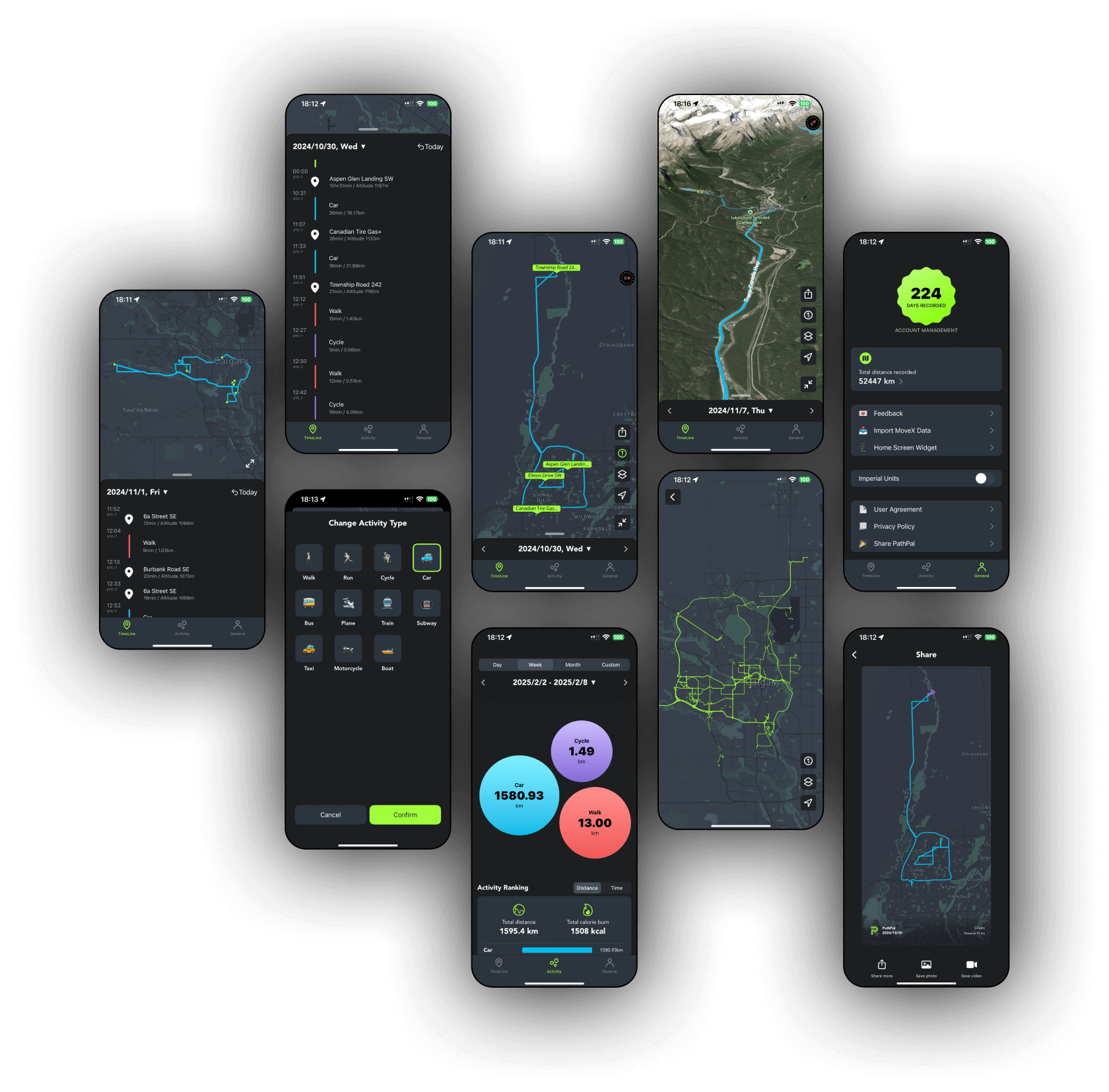
PathPal automatically records your daily activities on iPhone, bringing your routes, visited places, and activity timeline together.
Download on the App StoreYour day, recorded automatically
- Automatic recording
- Manually edit your timeline
- View historical locations on a map
- Share images of your map routes
- One-tap navigation to saved locations
- Automatic recognition of transport modes
- Detailed activity charts
- View your routes on a map
- A daily storyline of visited places
- No need to manually start and stop
Frequently asked questions
How much battery does PathPal use?
With location access set to Always, PathPal uses approximately 3–5% of your battery per day. Actual battery use may vary depending on your device and usage conditions.
How accurate are locations and routes?
Location and route accuracy depends on several conditions, including GPS signal quality and network connectivity. When signals are weak or connectivity is unstable, recorded locations and routes may be less accurate.
What is PathPal?
PathPal is an automatic activity tracking app for iPhone. It organizes daily activities, routes, and visited places into a timeline you can review.
Do I need to start and stop each activity?
No. PathPal supports automatic activity recording, so you do not need to manually start and stop each activity.
Can I edit my timeline and view past routes?
Yes. You can manually edit your activity timeline and view historical locations and routes on a map.
Where can I download PathPal?
PathPal is available for iPhone on the App Store. Follow the download link on this page for current availability and device requirements.